
A choice of quote currency
A launch can pair against a Nasdaq-tracking xStock (QQQx), a stablecoin (USDC), or another memecoin (PUMP) instead of SOL. The quote stops being plumbing and becomes part of the token's identity — so it needs its own feed.
Android app · pump.fun custom pairs
A pump-launched token no longer has to trade against SOL. Custom pairs quote it against QQQx, USDC, PUMP or another memecoin instead — and aggregators that assume SOL quoting mostly index those pools away, so they are easy to miss. CrossPair watches for them and lists the newest mint first.
Android 7.0+ · v1.0.0 · 13,401,131 bytes (≈12.8 MiB) · free, no account

The basics
On pump.fun, a new token normally trades against SOL. A custom pair is a pump-launched token whose PumpSwap pool quotes against something else — an xStock, a stablecoin, or another memecoin.
A launch can pair against a Nasdaq-tracking xStock (QQQx), a stablecoin (USDC), or another memecoin (PUMP) instead of SOL. The quote stops being plumbing and becomes part of the token's identity — so it needs its own feed.
Aggregators assume SOL quoting, so custom-pair pools are easy to miss unless you dig pool by pool. CrossPair's monitor continuously watches pump.fun's great-coins list, detects pump-minted tokens that acquired a non-SOL quote pair, and serves them to the phone — no manual pool hunting.
A token enters the feed only when both rules hold:
Pairs on pump.fun venues (pumpfun, pumpswap) qualify directly. Pairs found on other DEXes are admitted only above a $500 liquidity floor and stay labeled with their venue.
The feed sorts by mint date, not volume. A four-minute-old custom pair with almost no liquidity yet is the entire point of the list — volume-sorted feeds are exactly where brand-new pairs get buried. Newest first, always.
The monitor re-checks every tracked pair on each sweep and refreshes liquidity, price and 24h volume, so freshness is visible rather than implied.
What's in the app
Browse first: the feed, boards and search all work signed out. The wallet is only needed when you decide to trade.
The newest custom-pair tokens first. Each card shows the token, its quote chip ("PAIRED WITH QQQX"), mint age, liquidity, 24h move and volume. Tap any card for detail and trading.
Every custom quote the monitor has seen — QQQx, USDC, SPYx, AAPLx, memecoins — with token count and total liquidity. Open a board to browse its tokens newest-first.
Look up any Solana token by name, symbol or mint. Results for monitor-tracked mints come back with a custom pair badge and their quote chip, so tracked pairs stand out from ordinary rows.
Token detail pages include quote review and trading: swaps are quoted by Jupiter and approved in your own Solana wallet through Solana Mobile Wallet Adapter, with submitted-signature confirmation. CrossPair never takes custody and never asks for private keys.
Save the pairs you want to keep an eye on. The watchlist lives on your device only — no account, no sign-in, and it survives while the wallet is disconnected.
The Me tab shows the live monitor state — last sweep, tokens tracked, quote boards tracked, sweep cadence — and the app ships a plain-English methodology screen covering the filter rules, the data sources and the risks.
Real screens
Phone captures from the released Android build running against the live monitor. On a phone, the row scrolls sideways.
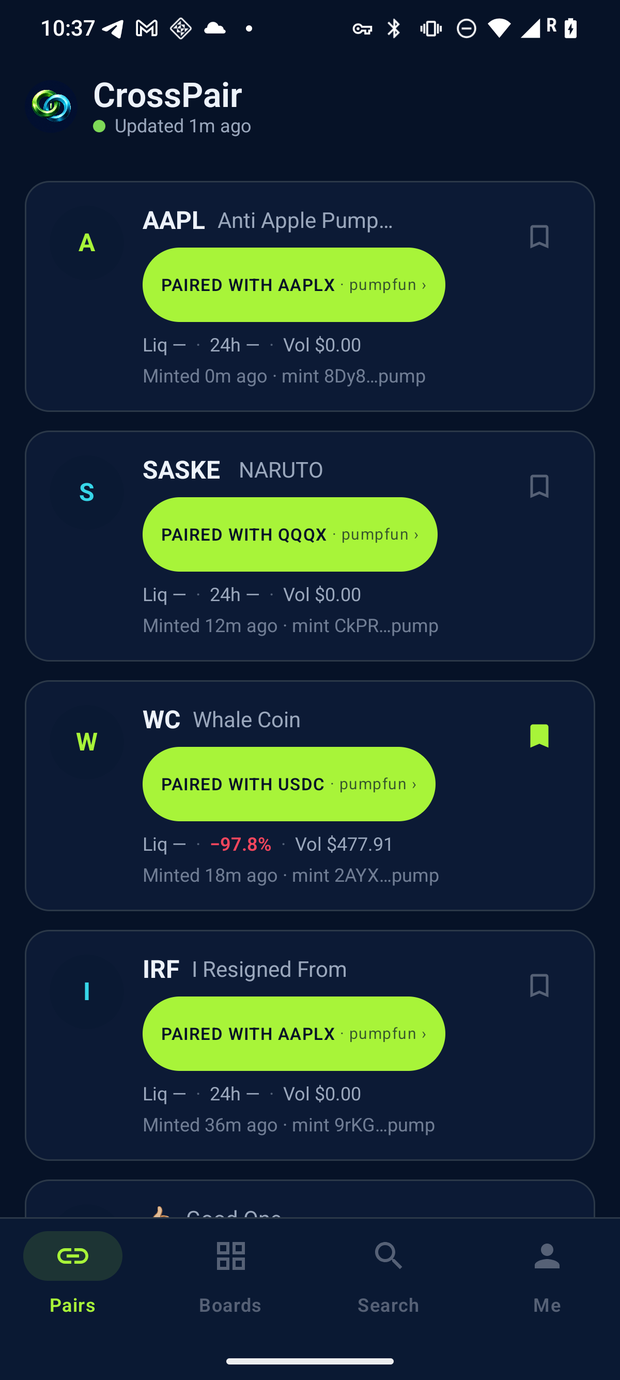
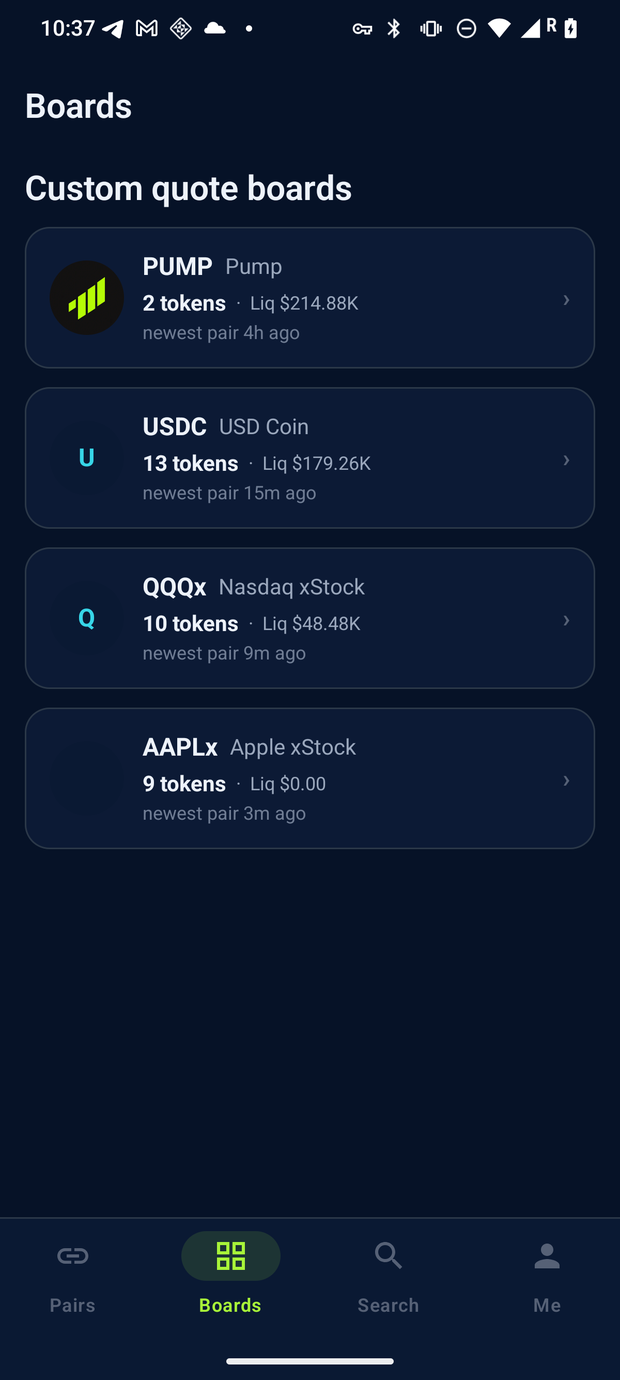
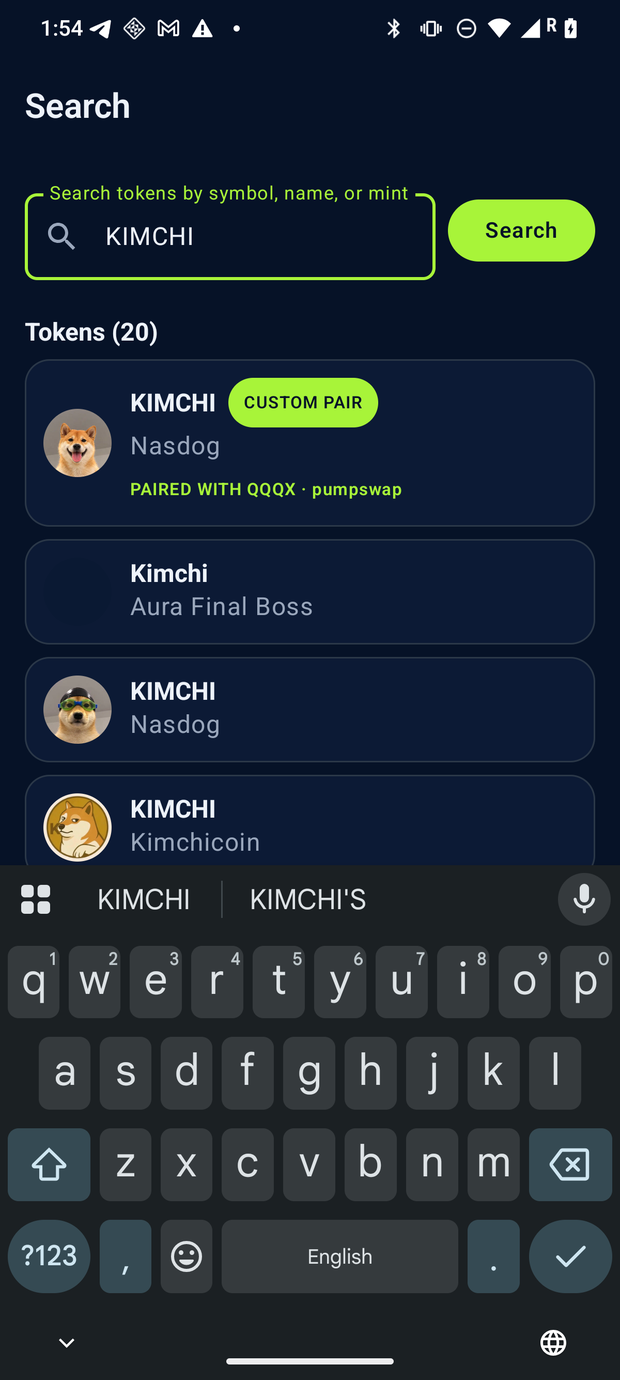
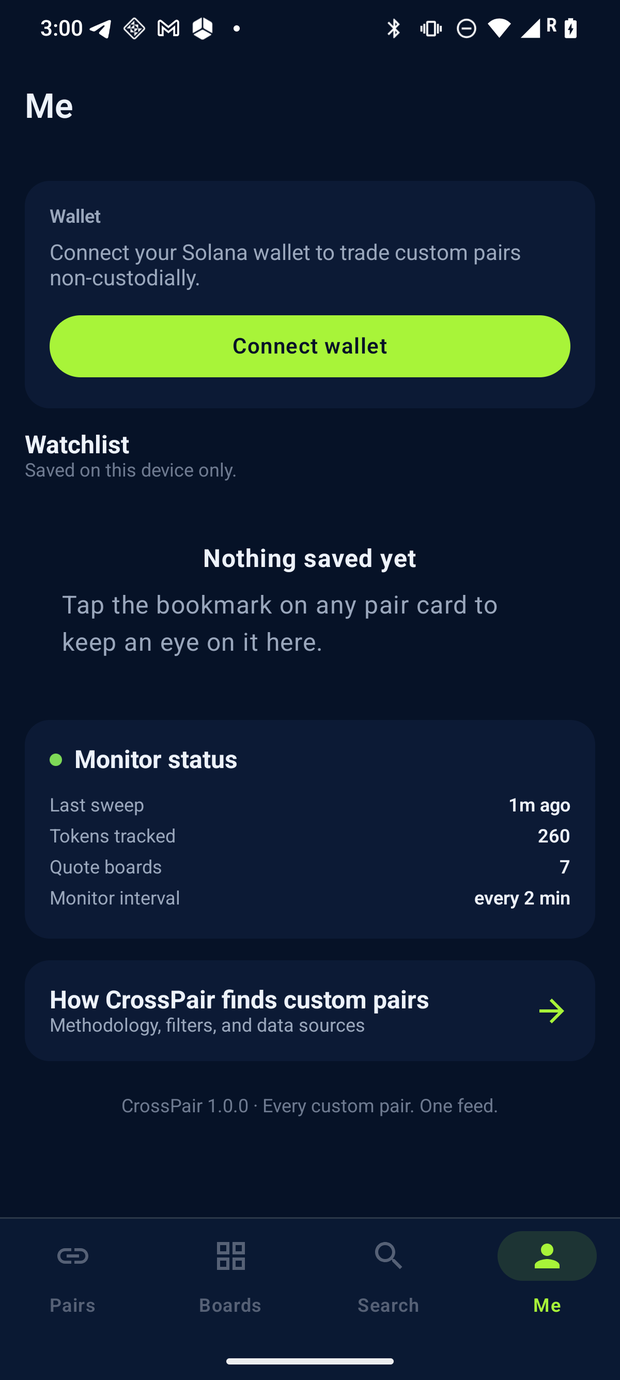
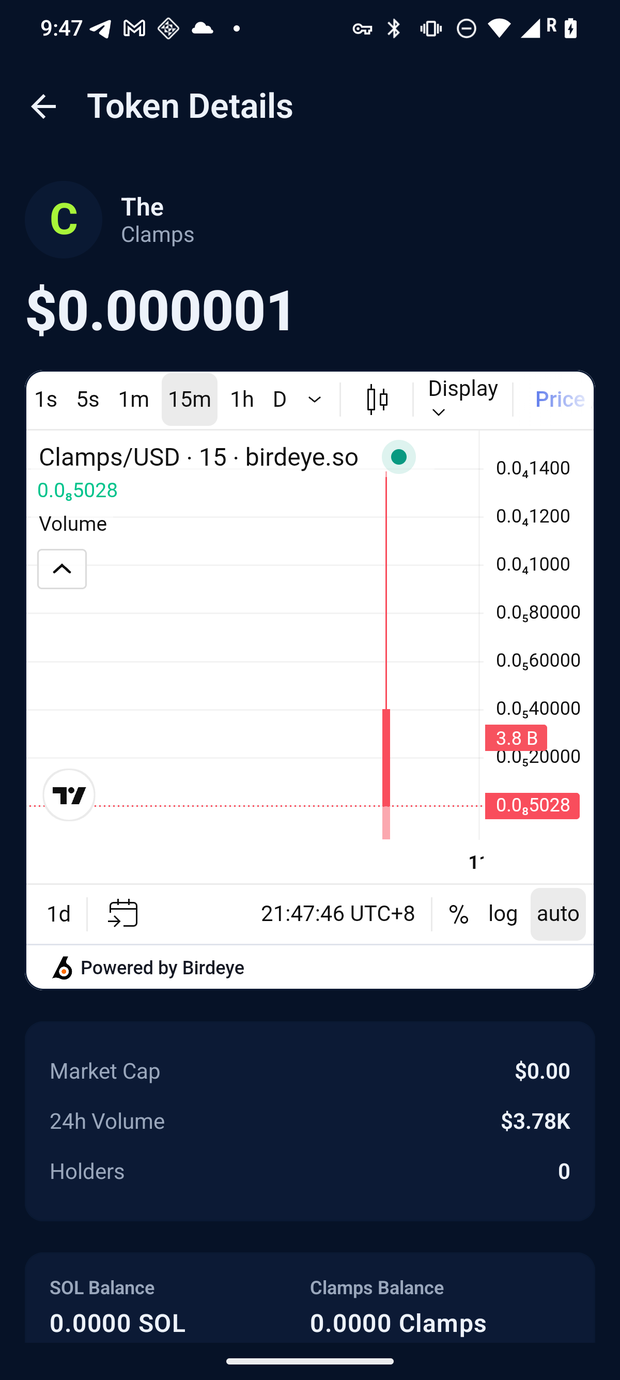
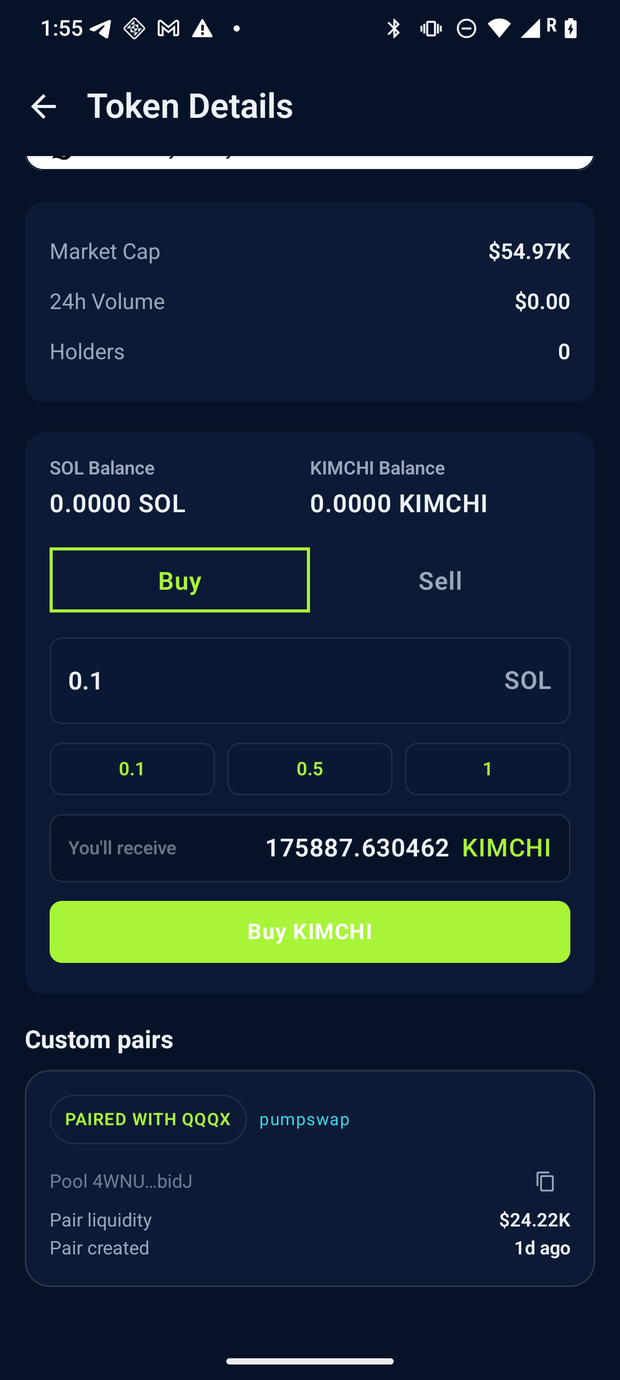
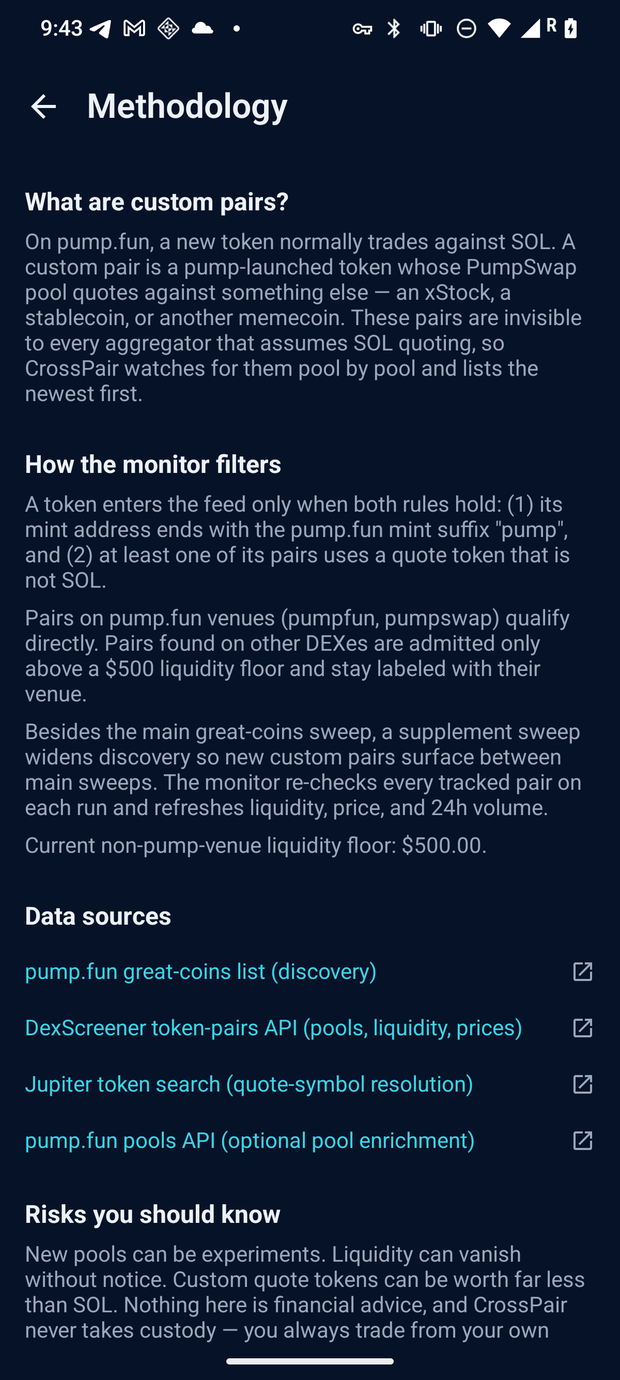
Captures are of the released build (v1.0.0) on a Solana Seeker attached to the live monitor. Numbers on any screen move as the monitor sweeps, so they are shown as captured, not as current values.
Direct download
CrossPair is distributed here as a signed release APK. It is an Android-only build (no iOS), and trading needs a compatible Solana wallet app installed on the same device — browse-first screens work without one.
Only install builds you downloaded from this page. CrossPair will never ask for a private key or seed phrase — those belong in your wallet app, not here.

Before you tap buy
CrossPair is an independent app. It is not affiliated with, endorsed by, or sponsored by pump.fun, Solana Labs, Jupiter or any exchange or issuer named on this page.
CrossPair lists and routes; it does not recommend, rate or vouch for any token. SOL and other digital assets are volatile, and you can lose what you put in. Always do your own research.
Custom pairs are new. Liquidity can vanish without notice, a custom quote token can be worth far less than SOL, and a young pool can behave in ways nobody has seen before. Trade only what you can afford to lose.